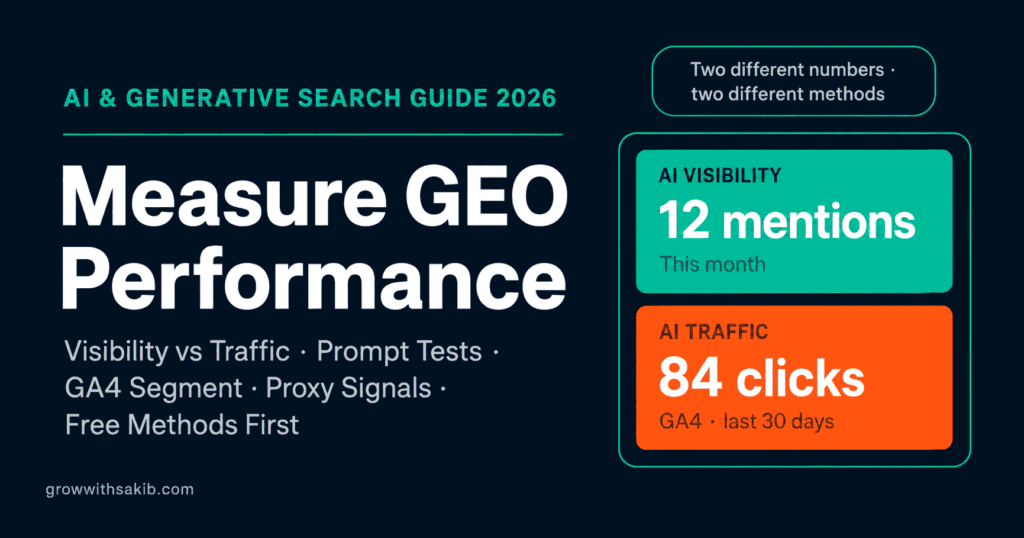
“How do I even know if GEO is working?” is the question that stops most people. AI answers are hard to measure – citations often don’t produce clicks, and the traffic that does come hides in your analytics. But you can measure GEO performance meaningfully, and you can start for free today.
This guide gives you a practical, free-first measurement stack, then shows when paid tools are worth it. It expands the measurement section of the complete guide to generative engine optimization on GrowWithSakib, and pairs with the platform-specific testing in the guide to getting cited by ChatGPT and Perplexity.
First, Separate Two Different Numbers
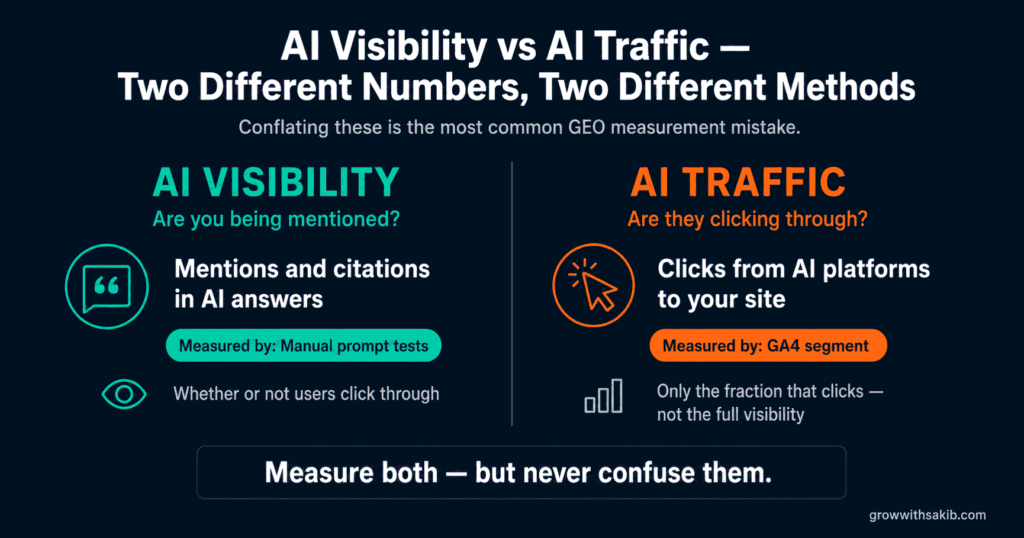
Before any tool, get one distinction straight, because conflating these two numbers is the most common measurement mistake:
- AI visibility – how often AI tools mention or cite your brand in their answers. This is about presence, whether or not anyone clicks.
- AI traffic – how many people actually click through to your site from an AI answer. This is about visits, tied to engagement and conversions.
They’re different numbers measured with different methods. Visibility is measured by testing prompts and reading answers; traffic is measured in GA4. A brand can have high visibility (cited constantly) but low traffic (few clicks, because AI answered the question). Measure both, and never report one as if it were the other.
Method 1: The Manual Prompt Test (Free)
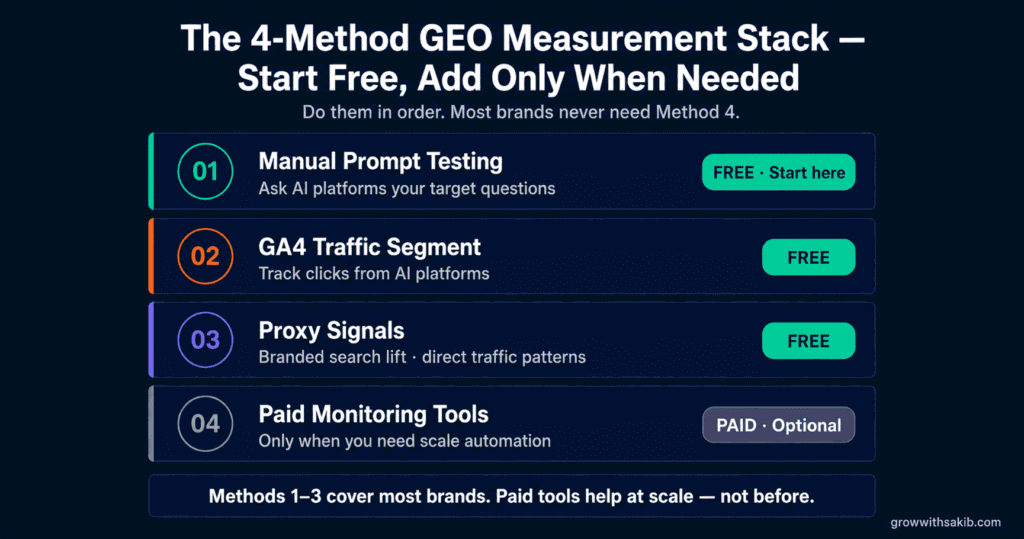
The simplest, most honest measure of AI visibility costs nothing: ask the AI tools your target questions and see if you’re cited. Every credible source agrees manual testing is the baseline, because it’s the only way to see exactly what a real user sees.
Build a 15-20 Prompt Test Set
Pick 15-20 prompts that a real customer might ask, spread across intent types so you’re not just testing one kind of query. A balanced starter set:
| Prompt Type | Example (adapt to your niche) |
|---|---|
| Informational | What is [your topic]? How does [process] work? |
| Comparison | Best [product category] for [use case]? [You] vs [competitor]? |
| Problem-aware | How do I fix [problem your product solves]? |
| Solution-aware | What tools help with [specific job]? |
| Buyer-stage | Best [category] for [audience/budget]? |
| Recommendation | What [service] would you recommend for [situation]? |
| Local / niche | Best [service] in [location] / for [industry]? |
| Brand check | What is [your brand]? Is [your brand] good? |
Then run the test consistently:
- Ask each prompt in each platform – ChatGPT (search on), Perplexity, and Gemini at minimum; add Copilot and Claude if relevant.
- Log the result for each – are you cited or mentioned? Which competitors appear? Which of your pages, if any, is the source?
- Calculate simple metrics – what share of your prompts surface your brand? That’s your starting visibility score.
- Repeat monthly, unchanged – keep the prompt set and method identical so month-to-month numbers are comparable.
A note on rigour: 15-20 prompts is a solid manual starting point, but for statistically meaningful rate comparisons you’d want more (many benchmarks use 50+). Use your small set to spot presence and trends; don’t over-read a single month’s percentage.
Method 2: Track AI Traffic in GA4 (Free)
Once you know your visibility, measure the clicks it produces. GA4 is where AI referral traffic shows up – and it got much easier in 2026.
Use the New Native AI Assistant Channel
On 13 May 2026, Google added a native AI Assistant channel to GA4, as covered in Search Engine Journal’s report. Qualifying visits from recognised AI tools like ChatGPT, Gemini, and Claude are now classified automatically – no regex, no setup. To see it, go to Reports > Acquisition > Traffic acquisition and set the dimension to Session default channel group; look for the AI Assistant row.
Add a Custom Channel Group to Fill the Gaps
The native channel is convenient but incomplete, so keep a custom channel group alongside it. Notably, Perplexity is not in the native channel – it still lands in Referral – and the native channel doesn’t backfill history. Create a custom group under Admin > Data display > Channel groups, and position your AI rule above the Referral rule so AI sources are caught first. A starter source regex:
| # Match on Session source (partial / regex) chatgpt\.com|chat\.openai\.com|perplexity\.ai| claude\.ai|gemini\.google\.com| copilot\.microsoft\.com|deepseek\.com|grok\.com # Review and update this list every quarter |
The most useful report once this is live is landing page by AI source: it tells you exactly which of your pages AI tools are sending people to – which are the pages earning citations. Watch engagement and conversions on that traffic too, using the framework in the guide to tracking SEO results on GrowWithSakib.
Method 3: Watch the Proxy Signals (Free)
Because so much AI influence is un-clickable or un-attributable, smart measurement leans on proxy signals – indirect evidence that AI is surfacing your brand. These are free and often the earliest indicators.
- Branded search lift – a rise in people searching your brand name in Search Console often reflects the two-step pattern: someone sees you in an AI answer, then searches your name to verify. Watch branded impressions and clicks.
- Rising conversational queries – growth in long, question-shaped queries in Search Console can indicate AI-assisted discovery. Watch for more natural-language phrasing over time.
- The impressions-up, clicks-down pattern – on question queries, rising impressions with a falling click-through rate is the fingerprint of AI answer surfaces absorbing the click.
- Landing-page anomalies – unusual Direct traffic to deep, specific pages (as in the story above) is a strong hint of un-referred AI traffic.
- Bing Webmaster Tools – Microsoft’s AI Performance report shows impressions and cite-rates inside Copilot, a rare direct window into an AI surface.
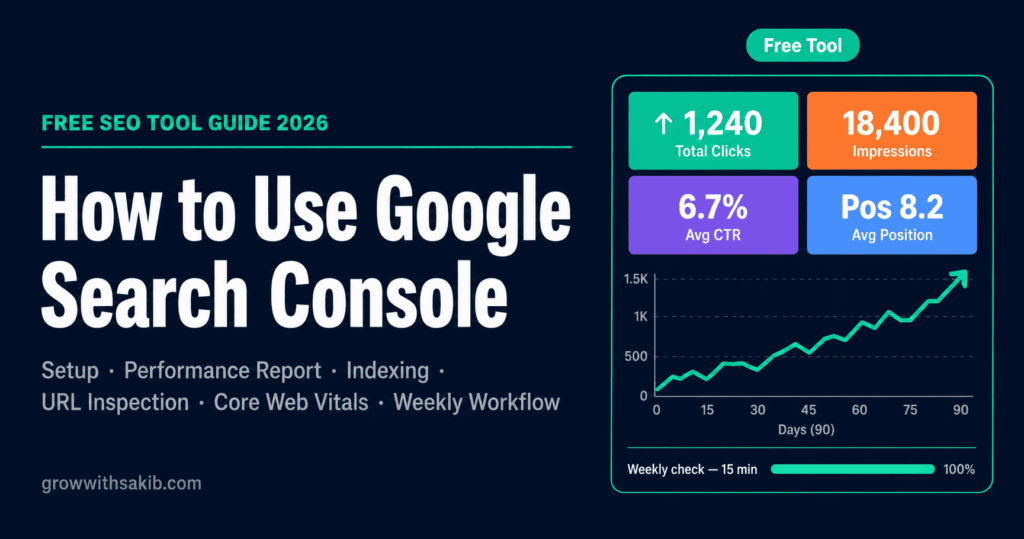
None of these is precise on its own, but together they triangulate a trend. If branded search, conversational queries, and citations in your manual test are all rising together, GEO is working – even if GA4’s AI row is modest. For the Search Console basics, see the guide to Google Search Console on GrowWithSakib.
Method 4: When to Graduate to Paid Tools
The free stack takes you a long way. But at some point manual testing across many prompts and platforms gets tedious, and you want competitor tracking and automation. That’s when a paid AI-visibility tool earns its cost.
Signs you’re ready to pay:
- Manual testing is eating hours – you’re tracking dozens of prompts across several platforms every month.
- You need competitor share-of-voice – you want to see how often rivals are cited versus you, at scale.
- You need to report to stakeholders – clients or leadership want dashboards and trends, not spreadsheets.
- You’re investing seriously in GEO – the budget is large enough that measurement is a justified line item.
The tool landscape is crowded and moving fast, so treat any list as a snapshot. Categories include established SEO platforms adding AI features (such as Semrush and Ahrefs) and purpose-built AI-visibility trackers (such as Otterly.AI, Peec AI, Profound, and Goodie AI). Pricing ranges widely – from around $30/month for entry monitoring to enterprise tiers – so match the tool to your actual need rather than the longest feature list. Many teams pair one purpose-built tracker with their existing SEO platform.
The GEO Metrics That Actually Matter
Whatever method you use, track a consistent set of metrics rather than a single vanity number:
| Metric | What It Measures | How to Get It |
|---|---|---|
| Citation / mention rate | Share of prompts where you appear | Manual test or paid tool |
| Share of Model Voice | Your mentions vs competitors’ | Manual test or paid tool |
| Prompt coverage | How many relevant prompts surface you | Manual test across intent types |
| AI referral traffic | Clicks from AI tools | GA4 AI Assistant + custom group |
| Branded search lift | Awareness proxy | Search Console |
| AI-assisted conversions | Business impact | GA4 conversion paths |
Share of Model Voice is worth calling out: it’s simply the share of tested prompts where you appear versus competitors. If you appear in 28 of 100 prompts, that’s 28%. Because AI answers compress the options to a few names, relative presence matters more than absolute counts – being one of three named beats being one of ten links.
Honest Limits of GEO Measurement
Measure with clear eyes about what’s genuinely knowable:
- Attribution is imperfect – much AI influence is un-clickable or un-referred, so no setup captures the full picture. Accept directional data.
- Results are volatile – AI answers change between runs and as models update, so single data points are noisy. Trust trends over time.
- Be sceptical of conversion multiples – you’ll see claims that AI traffic converts many times better than organic. The direction (higher intent) is well-supported; the specific multiples vary wildly by study, so measure your own.
- Visibility is not revenue – being cited is good, but tie it back to branded search, assisted conversions, and pipeline to prove real value.
The encouraging reality: you don’t need perfect measurement to act. A monthly manual test, a properly configured GA4, and a glance at your proxy signals will tell you whether your GEO work is trending the right way – which is what actually matters. Build the habit now, while AI traffic is small enough to read cleanly.
Common GEO Measurement Mistakes
| Mistake | Why It Hurts | Do This Instead |
|---|---|---|
| Only counting clicks | Misses citation-driven awareness | Measure visibility and traffic separately |
| Assuming GA4 shows all AI traffic | Much lands in Direct, unreferred | Treat GA4 as a floor; use proxy signals |
| Using only the native channel | Perplexity and history are missed | Add a custom channel group alongside it |
| Buying a tool first | Wasted spend before you know the need | Start free; buy once the need is clear |
| Inconsistent prompt tests | Numbers aren’t comparable | Keep the prompt set and method fixed |
| Trusting conversion multiples | Stats vary wildly by study | Report direction; measure your own |
| Reading one month too hard | AI answers are noisy | Track trends over several months |
Frequently Asked Questions
1. How do I measure GEO performance?
Use four methods in order of cost. Manually test 15-20 target prompts in ChatGPT, Perplexity, and Gemini and log whether you’re cited. Track AI referral traffic in GA4 using its new AI Assistant channel plus a custom channel group. Watch proxy signals like branded-search lift in Search Console. Then graduate to paid AI-visibility tools only when you need scale and competitor tracking. Start free and build the habit early.
2. How do I track AI traffic in GA4?
As of May 2026, GA4 has a native AI Assistant channel that automatically classifies traffic from recognised tools like ChatGPT, Gemini, and Claude – find it under Reports, Acquisition, Traffic acquisition, by Session default channel group. Add a custom channel group (Admin, Data display, Channel groups) to catch Perplexity and the long tail, positioned above the Referral rule.
3. Why doesn’t my AI traffic show up in GA4?
Because much of it arrives with no referrer. Traffic from AI mobile apps, pasted URLs, and in-app browsers lands in Direct with no AI label, and AI Overview clicks count as Organic. Even a perfectly configured GA4 undercounts AI traffic. Treat GA4’s AI numbers as a floor, and use proxy signals like unusual Direct traffic to deep pages and branded-search lift to infer the hidden portion.
4. Does GA4’s AI Assistant channel track Perplexity?
No – not in the native channel. Google’s AI Assistant channel recognises tools like ChatGPT, Gemini, and Claude, but Perplexity still lands in the Referral channel. To capture it, create a custom channel group with a rule matching the perplexity.ai source, and position that rule above the Referral rule so it’s evaluated first. Running the native channel and a custom group together gives the most complete view.
5. How do I know if ChatGPT or Perplexity cites my content?
Test manually. Ask your 15-20 target questions directly in each platform (with search enabled in ChatGPT) and note whether you’re cited, which of your pages is the source, and which competitors appear. Perplexity shows inline numbered citations, making it easy to see. Log results monthly with the same prompts so you can track whether your citation rate is improving over time.
6. What is Share of Model Voice?
Share of Model Voice measures how often your brand appears in AI answers compared with competitors. Test a set of relevant prompts and calculate the share where you appear – if you show up in 28 of 100, that’s 28%. Because AI answers compress the options to a few names, relative presence matters more than absolute counts. It’s the GEO equivalent of share of voice in traditional media.
7. Do I need to pay for a GEO tracking tool?
Not to start. A manual prompt test, a properly configured GA4, and Search Console proxy signals cost nothing and measure GEO meaningfully. Graduate to a paid AI-visibility tool when manual testing eats too many hours, You need competitor share-of-voice at scale, or you must report dashboards to stakeholders. Start free, learn what you’re looking for, then buy the tool that answers your specific question.
8. How often should I measure GEO performance?
Run your manual prompt test monthly with an identical prompt set and method so results are comparable, and check GA4 and proxy signals monthly too. AI answers are volatile between runs, so avoid over-reading a single test – track trends across several months instead. Monthly cadence catches meaningful movement without chasing daily noise, and lets you tie changes back to specific content work.
Key Takeaways
- Measure GEO with four methods in order of cost: manual prompt testing, GA4 traffic, proxy signals, then paid tools only when you need scale.
- Separate two numbers: AI visibility (how often you’re mentioned or cited) and AI traffic (how many people click through) – they need different methods.
- Manually test 15-20 target prompts across intent types in ChatGPT, Perplexity, and Gemini monthly, logging citations and competitors with a fixed method.
- GA4 added a native AI Assistant channel in May 2026 that auto-classifies ChatGPT, Gemini, and Claude – but add a custom channel group to catch Perplexity and history.
- Treat GA4’s AI numbers as a floor: much AI traffic arrives with no referrer and hides in Direct, so your real AI influence is higher than you can see.
- Use free proxy signals – branded-search lift, Rising conversational queries, and unusual Direct traffic to deep pages – to infer the un-trackable portion.
- Track a consistent metric set (citation rate, Share of Model Voice, prompt coverage, AI referral traffic, branded search) rather than one vanity number.
- Graduate to paid AI-visibility tools only when manual testing eats too many hours or you need competitor share-of-voice – and be sceptical of headline conversion multiples.