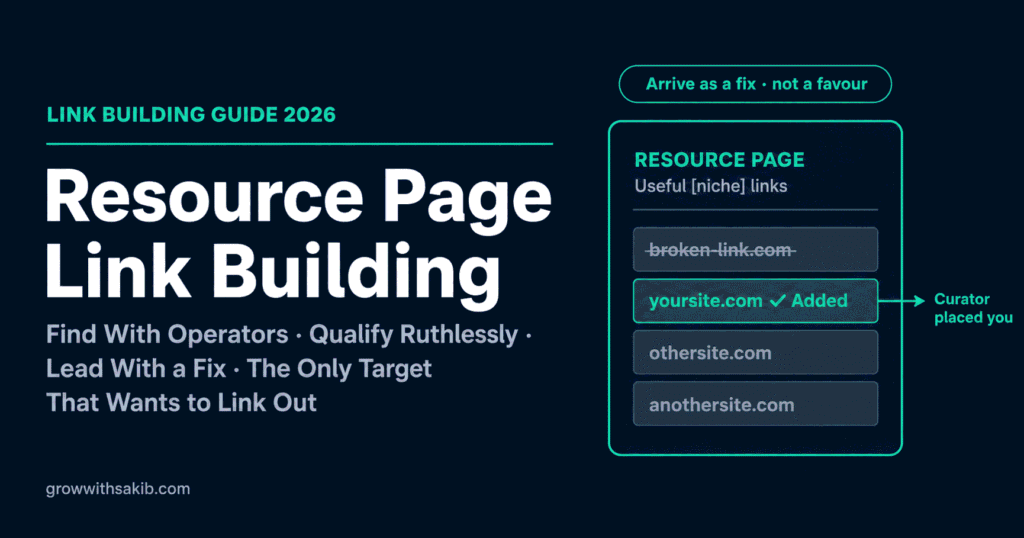
Somewhere out there is a page whose entire purpose is to link to content like yours. Someone built it deliberately, maintains it, and would genuinely like it to be more useful. That’s a resource page – and it’s the only link building target that wants to link out.
Which raises the obvious question: if these pages exist to link out, why is resource page outreach so often ignored? This is Strategy 5 in the link building guide for beginners on GrowWithSakib, and the answer is in how almost everyone pitches it.
Why It Works: The Curator Places the Link
Step 1: Find Resource Pages With Search Operators
Google operators let you find pages by their footprint – the words curators habitually use. Replace [niche] with your topic and run several variations; each surfaces a different set.
| THE CORE OPERATORS [niche] inurl:resources [niche] intitle:resources [niche] inurl:links [niche] “useful resources” [niche] “helpful links” [niche] “recommended resources” [niche] “recommended tools” [niche] “useful links” COMBINED (tighter, higher quality) [niche] intitle:resources inurl:resources INSTITUTIONAL (.edu / .gov / .org) [niche] inurl:resources site:.edu [niche] inurl:links site:.gov [niche] inurl:resources site:.org HIDDEN FOOTPRINTS (most people miss these) [niche] “further reading” [niche] “favourite tools” [niche] “toolbox” [niche] “link roundup” |
Step 2: Qualify the Page (Six Checks)
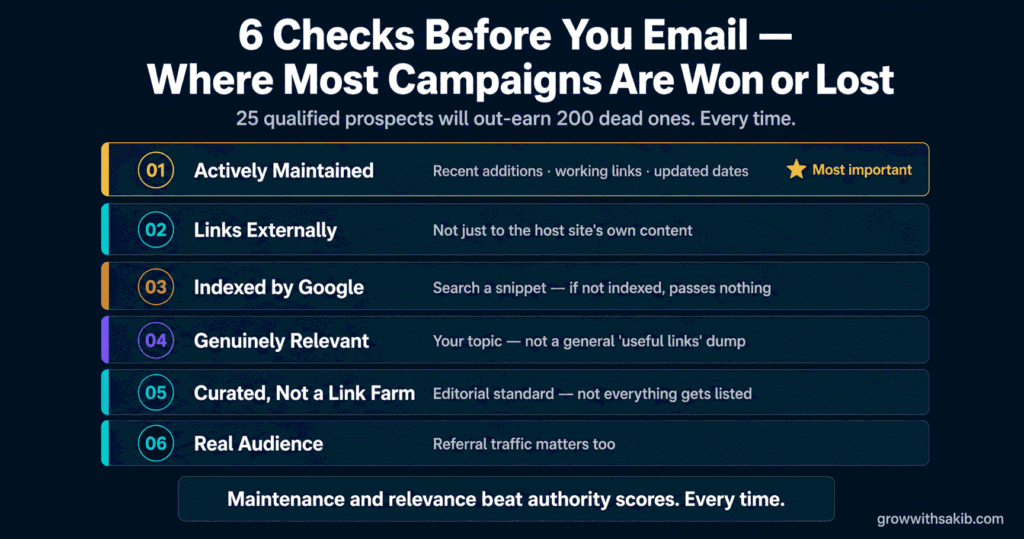
This is where most campaigns are won or lost. A list of 200 unqualified pages produces nothing; 25 qualified ones produce links. Run every prospect through these:
| # / The Check | Why It Decides Everything |
|---|---|
| 1. Is it actively maintained? | The single most important test. A page last touched in 2019 has nobody to email. Look for recent additions and working links |
| 2. Does it link EXTERNALLY? | Some ‘resource’ pages only link to the site’s own content. Your chance of being added is effectively zero. Skip them |
| 3. Is the page indexed? | Search a snippet of its text in Google. If the page isn’t indexed, a link from it passes nothing meaningful |
| 4. Is it genuinely relevant? | A curated list in your topic beats a general ‘useful links’ dumping ground every time |
| 5. Is it curated or a link farm? | A page with no editorial standard that lists anything is a liability, not an asset |
| 6. Does it have a real audience? | Referral traffic is the point too. A page nobody visits earns you a link nobody follows |
Step 3: The Inversion – Lead With a Fix, Not a Favour
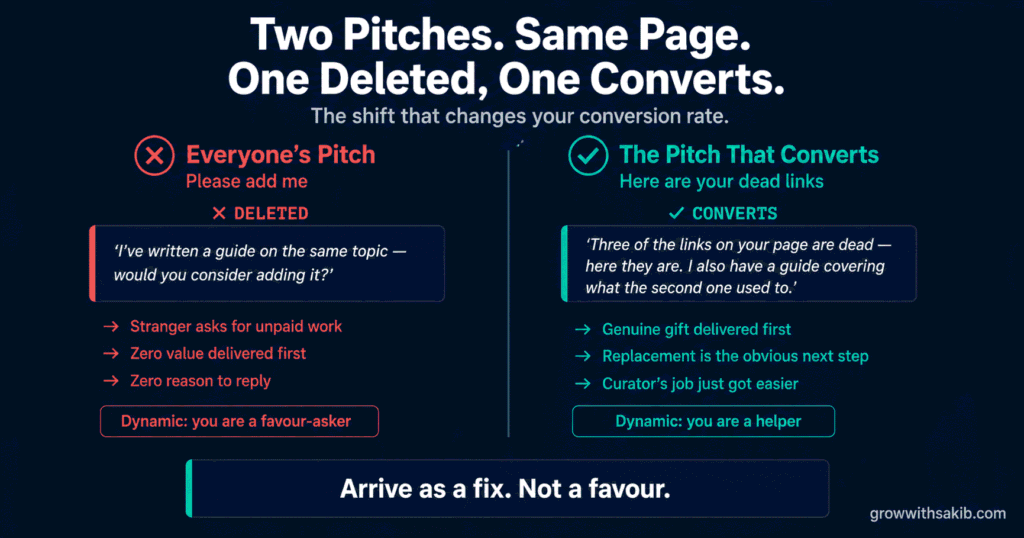
Here is the shift that changes your conversion rate, and it comes from a simple observation: resource pages decay. They’re lists of external links, and external links rot. Sites shut down, pages move, companies rebrand. The older and more established a resource page is, the more likely it is to contain dead links its curator hasn’t noticed.
Step 4: What Content Actually Gets Added
Curators reject far more than they accept, and the reason is almost always the same: the content was about the business, not about the reader. A resource page exists to help its audience. Your page has to do that, visibly, in about five seconds.
| Gets Added | Gets Rejected |
|---|---|
| A genuinely comprehensive guide on one topic | A service or product page (it’s an advert) |
| A free tool, calculator, or template | Anything behind a signup wall or paywall |
| Original research or data nobody else has | Thin content that restates what’s already listed |
| A checklist someone can actually use | A blog post that’s really a sales pitch |
| Something updated and current | A page that hasn’t been touched in years |
The test: would the curator’s readers be glad they clicked? If your honest answer is “they’d realise it’s a sales page,” no email will fix that – the asset is the problem. Build a genuine linkable asset first.
Step 5: The Outreach Email
Short, specific, and easy to act on. The full craft is in the outreach guide on GrowWithSakib; this is the resource-page version, in its strongest form.
| Subject: Couple of dead links on your [topic] resources page Hi [Name], I was going through your [specific page title] – genuinely useful list, it’s how I found [specific resource on it]. Two of the links look dead: – [URL 1] (404) – [URL 2] (domain expired) On the second one – we published [your resource], which covers the same ground: [URL]. Feel free to use it as the replacement, or not. Either way, thought you’d want to know about the dead links. [Your name] |
Honest Expectations
Resource page link building works, but the numbers are sobering and most guides lie about them. Backlinko and Pitchbox’s study of 12 million outreach emails found only about 8.5% receive any reply at all – and a reply is not a link. For resource pages specifically, a realistic planning figure is dozens of emails per link earned, not a handful.
- Ignore anyone promising 10-20% conversion – that’s a sales pitch, not a benchmark.
- The broken-link angle is your biggest lever – it lifts response rates more than any subject-line trick.
- Send one follow-up – worth roughly 65% more replies, per the same study. Then stop.
- Quality of prospect beats volume of email – 25 maintained, relevant, indexed pages will out-earn 200 dead ones.
- Resource page links last – once you’re on a curated list, you tend to stay. It’s slow to earn and slow to lose.
Common Resource Page Link Building Mistakes
| Mistake | Why It Hurts | Do This Instead |
|---|---|---|
| Asking to be added | You’re a stranger requesting unpaid work | Lead with their dead links; the link follows |
| Qualifying by DA/DR | Not a Google metric; hides abandoned pages | Maintenance and relevance decide |
| Emailing abandoned pages | Nobody is home to add you | Check for recent updates and working links |
| Pitching internal-only ‘resource’ pages | They don’t link out at all – zero chance | Confirm the page links externally |
| Ignoring indexation | An unindexed page passes nothing | Search a snippet of its text in Google |
| Pitching a service page | Curators reject adverts on sight | Offer a genuine guide, tool, or dataset |
| Mentioning SEO or ‘backlinks’ | Instantly reads as a link campaign | Talk about their readers, never about links |
| Blasting 200 unqualified pages | Under 1% conversion; burns your domain | 25 qualified prospects, properly researched |
Frequently Asked Questions
1. What is resource page link building?
Resource page link building is the practice of earning backlinks by getting your content added to curated pages that exist to link out to useful material – typically titled ‘resources’, ‘useful links’, or ‘recommended tools’. Universities, associations, nonprofits and industry blogs maintain them for their audiences. Because a curator reviews your content and chooses to add it, the result is a genuine editorial link: exactly the kind Google counts, and the opposite of a link you place yourself.
2. How do I find resource pages?
Use Google search operators built on the footprints curators use. The core set: [niche] inurl:resources, [niche] intitle:resources, [niche] inurl:links, plus phrase searches like [niche] “useful resources”, “helpful links” and “recommended tools”. Add site:.edu, site:.gov or site:.org for institutional pages. Don’t overlook hidden footprints like “further reading” and “toolbox”. A faster shortcut: filter a competitor’s backlinks for referring URLs containing ‘resources’, ‘links’ or ‘tools’.
3. How do I qualify a resource page?
Run six checks. Is it actively maintained – recent additions, working links? Does it actually link externally, or only to the host site’s own content? Is the page indexed by Google? Is it genuinely relevant to your topic? Is it a curated list or an indiscriminate link farm? And does it have a real audience? The first check matters most: an abandoned page has nobody to email, no matter how authoritative it looks.
4. Should I qualify resource pages by Domain Authority?
No. Domain Authority and Domain Rating are third-party tool metrics, not Google ranking factors, and here they actively mislead. A DR 60 resource page abandoned five years ago is worthless because nobody is home to add you. A DR 20 page in your exact niche, updated last month by a curator who cares, is a live opportunity. Maintenance and topical relevance are what decide. Use DR as a final sanity check, never as your primary filter.
5. What is the best resource page outreach email?
The one that doesn’t ask. Instead of requesting to be added, run a broken link checker over the page first – resource pages decay, and older ones often contain dead links the curator hasn’t noticed. Lead with those: name the dead links, then mention your resource almost in passing as a possible replacement for one of them. You arrive as a fix rather than a favour, which changes the dynamic entirely. Never mention SEO, backlinks, or ‘link building’.
6. What content gets accepted onto resource pages?
Content that helps the curator’s readers, not content that sells your business. Comprehensive guides, free tools and calculators, templates, checklists, and original research all get added. Service pages, anything behind a signup wall, thin posts that restate what’s already listed, and blog posts that are really sales pitches all get rejected. The test: would their readers be glad they clicked? If the honest answer is ‘they’d realise it’s an advert’, the asset is the problem, not the email.
7. Does resource page link building still work?
Yes – it’s one of the cleanest white-hat tactics available, because the pages exist specifically to link out and the curator makes an editorial choice to include you. There’s also a modern bonus: AI answer engines draw heavily on curated lists and roundups when making recommendations, so a listing is both a backlink and a brand mention on a page AI systems read. Be realistic about volume, though: expect dozens of emails per link earned.
8. Are .edu resource page links worth chasing?
They can be genuinely valuable, since university and government pages are often well-maintained and institutionally credible. But treat them the same as any other prospect: they’re heavily targeted by link builders, so curators are wary of anything resembling an SEO pitch. They’re also frequently abandoned when a staff member leaves. Qualify them exactly as you would any page – maintained, relevant, indexed, externally linking – and lead with genuine value, never with a request.
Key Takeaways
- Resource pages exist specifically to link out – they’re the only link building target that WANTS to add links. The curator places it, so it’s a genuine editorial link.
- Find them with operators: [niche] inurl: resources, intitle: resources, inurl: links, plus phrases like ‘useful resources’ and ‘recommended tools’. Go broader than feels natural.
- The fastest shortcut is stealing competitors’ curators: filter their backlinks for referring URLs containing ‘resources’, ‘links’ or ‘tools’.
- Qualify on maintenance and relevance – NOT Domain Authority. An abandoned DR 60 page is worthless; a maintained DR 20 page in your niche is a live opportunity.
- Two filters nobody mentions: is the page indexed, and does it actually link externally? Some ‘resource’ pages only link internally – zero chance.
- The inversion that changes everything: resource pages decay. Lead with their DEAD LINKS, not with a request to be added. Arrive as a fix, not a favour.
- Curators accept guides, tools, calculators, templates and original research. They reject service pages, gated content, and blog posts that are really adverts.
- Be realistic: only ~8.5% of outreach emails get any reply. Expect dozens of emails per link – and ignore anyone promising 10-20% conversion.