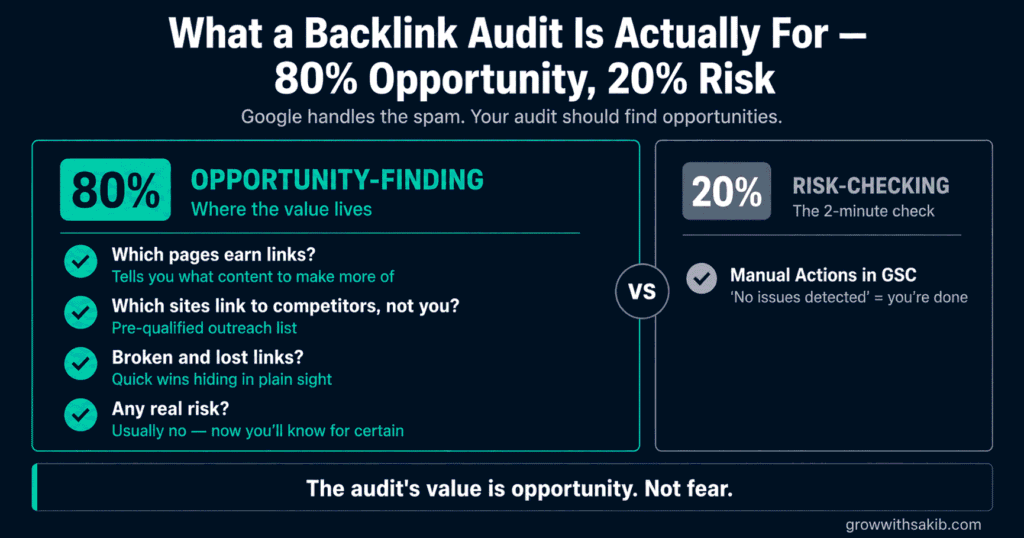
Most backlink audit guides are built to frighten you. Run the tool, look at the scary red “toxicity score,” disavow everything it flags. Google’s own engineers say that advice is worse than useless – it’s one of the most reliable ways to damage a healthy site. Let’s start there, because it changes what an audit is even for.
This is the full expansion of the audit section in the link building guide for beginners on GrowWithSakib – the data pulls, the scoring rubric, the gap analysis, and the disavow decision.
First: What Google Actually Says About ‘Toxic’ Links
Two things follow, and they’re the foundation of this whole guide.
1. There is no such thing as a Google ‘toxicity score’
The toxicity and spam scores in SEO tools are proprietary vendor metrics built from proxy signals – they are not Google’s, and Google does not use them. It’s exactly the same category error as treating Domain Authority as a Google ranking factor: a useful third-party estimate, mistaken for the real thing. When an SEO publicly asked for a single case study showing that a tool-generated disavow had helped a site, none was produced.
2. Google already ignores spam links, automatically
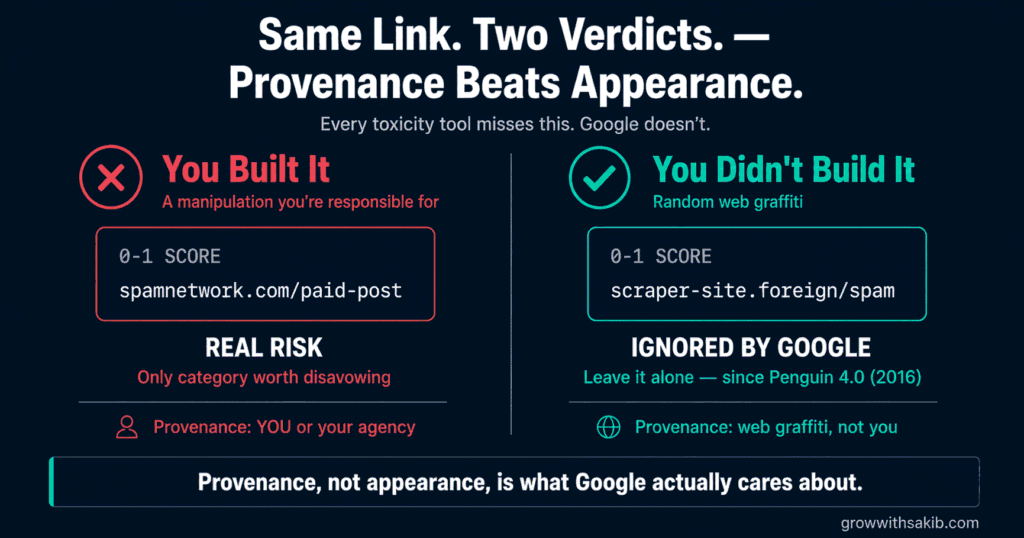
Since Penguin 4.0 in 2016, Google devalues spam links rather than demoting the sites they point at, and SpamBrain now neutralises link spam at scale. Random junk links you never asked for – scraper sites, foreign-language directories, web graffiti – are simply ignored. Mueller’s guidance is blunt: disavow links that were really paid for or actively unnaturally placed; don’t fret the cruft. Bing removed its disavow tool altogether in 2023.
Step 1: Pull Your Data From Google Search Console
Start with Google’s own data – it’s free, and it’s the only source that comes directly from the search engine you care about.
- In Search Console, open Links in the left sidebar.
- Under External links, click More beside Top linking sites, then Export the CSV.
- Do the same for Top linked pages – this shows which of your pages actually earn links.
- Export Top linking text too – that’s your anchor text data for Step 3.
- While you’re there: open Security & Manual Actions -> Manual Actions. This is the single most important check in the entire audit. No manual action means no confirmed link penalty.
Step 2: Export From Ahrefs or Semrush and Combine
Search Console’s data is authoritative but incomplete. A third-party crawler fills the gaps and adds the metrics you need for scoring.
- In Ahrefs Site Explorer (or Semrush’s Backlink Analytics), enter your domain.
- Open Backlinks, filter to Live/Active links, and export to CSV.
- Export Referring Domains separately – this is the number that matters, not raw backlink count.
- Export the Anchors report for anchor text analysis.
- Merge everything into one spreadsheet and de-duplicate by referring domain.
One framing note. Referring domains matter far more than total backlinks: 500 links from 10 sites is a much weaker profile than 100 links from 100 sites. And remember from the dofollow vs nofollow guide on GrowWithSakib that a profile of 100% followed links looks manufactured – a natural mix includes nofollow mentions from social, news and forums.
Step 3: Score Every Link (The Rubric)
This is the part every other guide leaves out. Instead of outsourcing judgement to a vendor’s “toxicity score,” score each referring domain yourself on five factors, 0 to 2 each:
| Factor | 0 points | 1 point | 2 points |
|---|---|---|---|
| Relevance | Unrelated to your niche | Adjacent industry | Directly in your niche |
| Real audience | No traffic; nobody reads it | Small but genuine readership | Established, trusted publication |
| Editorial standards | Auto-publishes anything | Some editing | Real editors, real standards |
| Link context | Footer, sidebar, or link list | Sidebar or author bio | In-content, editorially placed |
| Anchor naturalness | Exact-match commercial keyword | Partial match | Branded, natural, or URL |
| Total Score | What It Means | What to Do |
|---|---|---|
| 8-10 | A genuinely valuable editorial link | Protect it. Note what earned it, and do more of that |
| 5-7 | A decent, ordinary link | Leave it alone. This is what most of the web looks like |
| 2-4 | Low quality but harmless | Leave it alone. Google ignores this cruft automatically |
| 0-1 + you built it | A manipulative link you are responsible for | This is the ONLY category worth disavowing |
| 0-1 + you didn’t build it | Random spam you never asked for | Leave it. Google already ignores it |
Anchor Text: Diagnostics, Not Targets
You’ll see guides quoting precise “natural” anchor distributions – 60% branded, 20% naked URL, and so on. Google has never published any such targets, and chasing a percentage is the same folklore as the 60/40 dofollow ratio. Use anchor data as a diagnostic instead – you’re looking for patterns that betray manipulation:
- Heavy exact-match commercial anchors – if one money keyword dominates your anchor profile, that pattern didn’t happen naturally. Real people link using your brand name, your page title, or a bare URL.
- Identical anchors from unrelated domains – fifty different sites using precisely the same keyword phrase is a paid-link footprint, not a coincidence.
- Zero branded anchors – genuine coverage produces brand mentions. A profile with none suggests every link was built, not earned.
- Anchors that don’t match the page – links about payday loans pointing at your services page are hacked-page or scraper spam. Annoying, and harmless.
And note the fix: anchor problems are almost never solved by disavowing. They’re solved by diluting – earning more natural, branded, editorial links until the manipulative pattern stops dominating.
Step 4: Competitor Comparison – Where the Quick Wins Are
This is the most valuable step, and the one most guides skip. You’re looking for sites that link to your competitors but not to you – a pre-qualified outreach list, built from sites that have already proven they’ll link to a business like yours.
- In Ahrefs, open Link Intersect (Semrush’s Backlink Gap does the same job).
- Enter your domain, then three or four competitors.
- Ahrefs returns every domain linking to them but not you. Sort by referring-domain strength.
- For each, look at WHAT they linked to on the competitor’s site. That tells you what content earned the link.
- Sort into two lists: opportunities you can win now (you have equivalent or better content), and content gaps (you’d need to build something first).
Step 5: The Disavow Decision
For most readers, this step takes ten seconds and the answer is “do nothing.” Work through it honestly:
| The Question | If Yes | If No |
|---|---|---|
| Do you have a manual action in Search Console? | Disavow is appropriate. This is what the tool is for | Continue below |
| Did you (or an agency you paid) build manipulative links? | Disavow those specific links you’re responsible for | Continue below |
| Is there a large, concentrated spike of spam you’re genuinely worried about? | A targeted disavow is a reasonable precaution | STOP. Do not disavow |
If you reached “STOP,” you’re done – and you’ve just saved yourself from the most common self-inflicted injury in SEO. If you do need to file, keep it surgical:
| # Disavow file: plain text, UTF-8 # Only links YOU built, or a confirmed manual action. # Paid guest post network, bought 2023 – our responsibility domain:examplespamnetwork.com domain:anotherpaidnetwork.net # Single bad URL rather than a whole domain https://example.com/paid-links-page/ # Upload: Search Console -> Links -> Disavow links # Takes weeks to process. Do NOT re-upload repeatedly. |
Common Backlink Audit Mistakes
| Mistake | Why It Hurts | Do This Instead |
|---|---|---|
| Trusting third-party ‘toxicity scores’ | Not Google metrics; full of false positives | Score links yourself with the rubric |
| Disavowing without a manual action | Mueller: ‘probably doing more harm than good’ | Check Manual Actions first – usually you’re fine |
| Disavowing links you didn’t build | Google already ignores unsolicited spam | Leave the cruft alone |
| Chasing ‘ideal’ anchor percentages | Google publishes no such targets | Use anchor data as a diagnostic, not a goal |
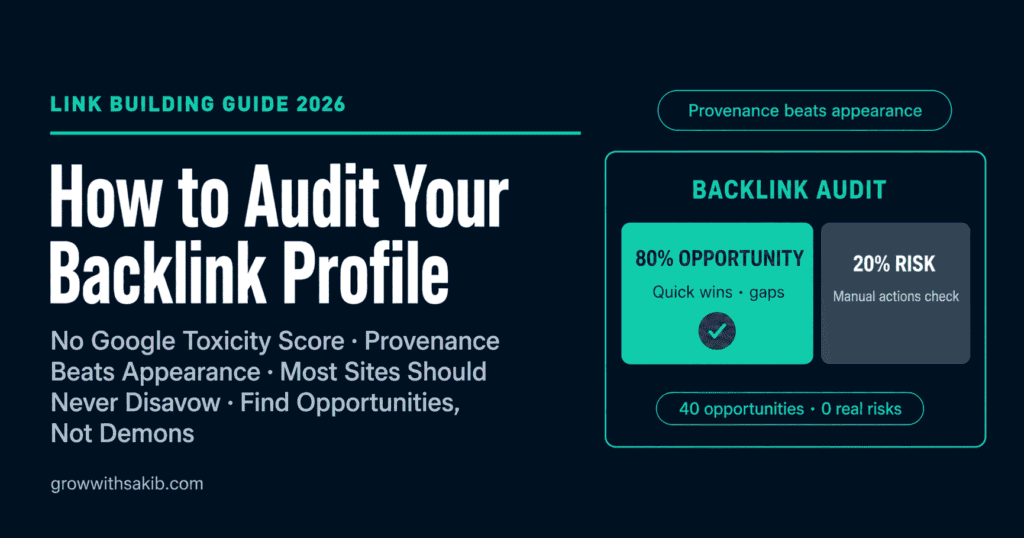
| Treating the audit as risk-only | Misses where all the value actually is | 80% opportunity-finding, 20% risk-checking |
| Counting backlinks, not referring domains | 500 links from 10 sites looks strong; it isn’t | Judge by referring domains |
| Re-uploading the disavow file repeatedly | Creates confusion; changes nothing faster | Upload once, wait weeks |
Frequently Asked Questions
1. How do I audit my backlink profile?
Run five steps. First, export the Links report from Google Search Console – and check Security & Manual Actions, which is the single most important screen in the audit. Second, export from Ahrefs or Semrush and combine the data. Third, score each referring domain on relevance, real audience, editorial standards, link context and anchor naturalness. Fourth, run a competitor link gap analysis to find quick wins. Fifth, make the disavow decision – which for most sites means doing nothing.
2. What is a toxic backlink?
It’s largely a marketing term. Google has no ‘toxicity score’ – the scores in SEO tools are proprietary vendor metrics built from proxy signals, not Google’s own assessment. Google’s John Mueller has called disavowing tool-flagged toxic links a ‘billable waste of time.’ What genuinely matters isn’t how a link looks, but who built it: a manipulative link you or your agency created is a real risk, while an identical-looking spam link that appeared on its own is ignored automatically.
3. Should I disavow bad backlinks?
For most sites, no. John Mueller has said plainly that most sites don’t need the disavow tool, and that unless you built manipulative links or have a manual action, you’re ‘probably doing more harm than good.’ Gary Illyes has said he would remove the tool entirely because it hurts more sites than it helps. Disavow only if you have a manual action, if you or an agency built manipulative links, or if you face a large, concentrated spam attack you’re genuinely worried about.
4. How do I know if a backlink is hurting my rankings?
Check Security & Manual Actions in Google Search Console. If it says ‘No issues detected,’ you have no confirmed link penalty – and that two-minute check answers the question most people spend weeks worrying about. Since Penguin 4.0 in 2016, Google devalues spam links rather than demoting the sites they point at, and SpamBrain neutralises link spam at scale. Random junk links you never asked for are simply ignored.
5. Can competitors hurt me with negative SEO?
It’s far less likely than the SEO industry implies. Google’s systems are built to ignore unsolicited spam links, precisely because anyone can point junk at anyone. Mueller’s guidance is to disavow links that were genuinely paid for or actively unnaturally placed, and not to ‘fret the cruft.’ The bigger risk to most sites is panic: disavowing legitimate links out of fear does far more measurable damage than the spam links ever would.
6. What is a good anchor text distribution?
Google has never published target percentages, so any guide quoting a precise ‘natural’ distribution is repeating folklore. Use anchor data as a diagnostic instead. Warning patterns include a single commercial keyword dominating your anchors, dozens of unrelated domains using the identical phrase, and a complete absence of branded anchors. The fix is almost never disavowal – it’s dilution: earning more natural, branded, editorial links until the pattern stops dominating.
7. What are the quick wins in a backlink audit?
Three. First, sites linking to several competitors but not you – they’ve repeatedly proven they’ll cover this topic, making them your best outreach list. Second, your own lost backlinks, which are often recoverable with one polite email. Third, pages on your site that now 404 but still have backlinks pointing at them – redirect them to the closest live page and you recover that authority in an afternoon. These are worth far more than any disavow file.
8. How often should I audit my backlinks?
A full audit once to establish your baseline, then a lighter quarterly check of about 45 minutes: new and lost referring domains, any shift in anchor patterns, whether your top linked pages have lost links, a two-minute Manual Actions check, and a quick competitor gap scan for new opportunities. Audit sooner if you take over a site, inherit one from another agency, or see an unexplained ranking drop.
Key Takeaways
- Google has no ‘toxicity score’ – the scores in SEO tools are vendor metrics built from proxy signals, not Google’s assessment.
- John Mueller: most sites don’t need the disavow tool, and disavowing tool-flagged links is a ‘billable waste of time.’
- Gary Illyes has said he would remove the disavow tool entirely, because it hurts more sites than it helps.
- Since Penguin 4.0, Google devalues spam links rather than demoting sites – random junk you never asked for is already ignored.
- Provenance beats appearance: a spammy link YOU built is a risk; an identical one that appeared on its own is web graffiti.
- Score links yourself on five factors – relevance, real audience, editorial standards, link context, anchor naturalness.
- Check Security & Manual Actions in Search Console first. ‘No issues detected’ means no link penalty – and ends most audits.
- An audit is 80% opportunity-finding: competitor link gaps, recoverable lost links, and 404 pages still holding backlinks.